Git & GitHub - Practice applied knowledge
This section provides a practical introduction to the essential concepts of version control. It begins with a realistic workflow to illustrate how version control operates in practice and to help readers identify the most important concepts through direct application rather than abstract explanation alone.
Git is a versatile distributed version control system, while GitHub is a web-based platform for hosting and managing Git repositories. A more detailed explanation of their differences and complementary roles is provided in the next section.
- Git is a versatile version control system used for tracking changes in code and collaborating with others on software projects.
- Due to a distributed version control system, Git enables you to revert to the previous state or review the project’s history.
- GitHub is one of the most popular web-hosted services for Git repositories.
- Repositories are storage structures that store documents, including application source code, and enable contributors to track and maintain version control.
- Git repository model
- Primarily focused on tracking source code during development.
- Contains elements to coordinate among programmers, track changes, and support non-linear workflows.
- Repositories are storage structures that hold code and track version history using Git; platforms like GitHub extend these repositories with additional features such as issue tracking and collaboration tools.
- GitHub enables you to create repositories, edit files using the web interface, commit the changes to the file, upload the files, and a lot more.


A branch is a snapshot of your repository to which you can make changes.
In the child branch, you can build, make edits, test the changes, and then merge them with the main branch.
To ensure that changes are made by one member, do not impede or affect the workflow of other members, multiple branches can be created and merged with the main branch.
A pull request is a way to notify other team members of the changes and edits made to the main branch.


- create a new local repository using git init
- create and add a file to the repo using git add
- commit changes using git commit
- create a branch using git branch
- switch to a branch using git checkout
- check the status of files changed using git status
- review recent commits using git log
- revert changes using git revert
- get a list of branches and active branch using git branch
- merge changes in your active branch into another branch using git merge


Multiple roles are involved in managing a project: Developer, Integrator, and Repository Administrator.
A Developer working in a group project uses commands like git clone, git pull, git fetch, git push, and git request-pull in addition to the ones needed by a standalone developer.
An Integrator in a group project reviews and integrates changes made by others. Integrators use commands like git pull, git revert, and git push in addition to the ones needed by participants.
Repository Administrators structure how the repository is organized and how users interact with the repository. They also configure the servers needed for accessing the web services and documentation, define email and index settings, and manage the look and feel of the application.
The following table shows various Git commands:
git init | git checkout | git revert | git format-patch | git fetch upstream |
git status | git merge | git config --global user.email | git request-pull | git merge upstream/main |
git add . | git clone | git config --global user.name | git send-email | git pull upstream |
git commit | git pull | git remote -v | git am | git web |
git log | git push | git remote rename | git daemon | git instaweb |
git reset | git --version | git remote add origin | git remote -v | git-pull downstream |
git branch | git diff | git remote | git remote add upstream | git-rerere |


| Term | Definition |
|---|---|
| Branch | A separate line of development that allows to work on features or fixes independently. |
| Clone | A local copy of the remote Git repository on the computer. |
| Commit | A snapshot of the project's current state at a specific point in time, along with a description of the changes made. |
| Continuous delivery (CD) | The automated movement of software through the software development lifecycle. |
| Continuous integration (CI) | A software development process in which developers integrate new code into the code base at least once a day. |
| Distributed version control system (DVCS) | A system that keeps track of changes to code, regardless of where it is stored. Multiple users work on the same codebase or repository, mirroring the codebase on their computers if needed, while the distributed version control software helps manage synchronization amongst the various codebase mirrors. |
| Fork | A copy of a repository into your GitHub account. |
| GitHub | A web-hosted service for the Git repository. |
| GitHub branches | A branch stores all files in GitHub. Branches are used to isolate changes to code. When the changes are complete, they can be merged back into the main branch. |
| GitLab | A complete DevOps platform delivered as a single application. It provides access to Git repositories, controlled by source code management. |
| Git | Free and open-source software distributed under the GNU General Public License. It is a distributed version control system that allows users to have a copy of their own project on their computer anywhere in the world. |
| Merge | A process to combine changes from one branch to another, typically merging a feature branch into the main branch. |
| Pull request | A process used to request that someone review and approve your changes before they become final. |
| Repository | A data structure for storing documents, including application source code. It contains the project folders that are set up for version control. |
| SSH Protocol | A method for secure remote login from one computer to another. |
| Version control | A system that allows you to keep track of changes to your documents. This process allows you to recover older versions of the documents if any mistakes are made. |
| Working directory | A directory in your file system that contains files and subdirectories on your computer that are associated with a Git repository. |
- fork existing repository using the UI
- clone forked repository in the lab environment
- create a new branch
- make changes locally
- add and commit to local branch
- push changes to your forked repository
- create a pull request to the upstream repository
sudo dnf install git-all
or, apt on Debian-based distributions (e.g. Ubuntu):
sudo apt install git-all
On MacOS you can activate Git by typing:
git version
On Windows based systems, you can install Git Bash by downloading the Git for Windows installer. Git Bash includes popular Linux Bash shell commands (such as ls, pwd, cat, etc.) as well as Git commands.
You can also get the GitHub desktop for Windows and MacOS, which provides a UI for GitHub on your desktop.
SSH Key
An SSH key is an access credential in the SSH protocol. Its function is similar to that of user names and passwords, but the keys are primarily used for automated processes.


- Created an open source repository
- Started and managed branch
- Changed a file and committed those changes
- Opened and merged a pull request
Commands by steps in a plaint way (just like will appear in project development process):
- Signup to GitHub (intuitive process)
- Create a repository (explore the options)
- Install git (git dowload or from terminal)
- Get the version or update in terminal:
- git -v
- git clone https://github.com/git/git
- Clone the Repository
Clone the repository and make changes locally, making sure to include an index.html file which will be the landing page for your website.
- Copy the URL and execute
- git clone <url>
- Open in Desktop
- or Download
- Connect
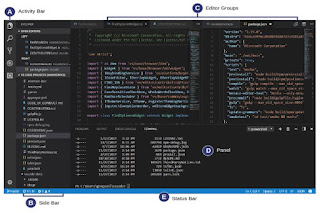
- VS Code
- RStudio
- Make Changes
- Commit
Each change and associated commit message (explaining what and why a particular change was made).
- git commit -m "message"
- Publica
- git push
- If are only changes and no new files try to use
- git add .
- git commit -am "message" #commit all the changes
- Pull
- git pull
- Heard of collaboration on GitHub
- @mention for request feedback
- Merge Conflicts
Merge your feature branch into the main branch. It will generate some conflicts, GitHub will alert about this. You can make a commit that resolves or use a comments in the pull request to discuss about this conflicts. Is a recommend practice try to delete the feature branch after merge it, and create a new one for new changes.
- git log
- If have a mistake, revert back to a previous version
- git reset
- git reset --hard <commit> # revert to the version after that commit
- git reset --hard origin/master #to the version currently stored online on Github
- Managed branch
- git branch # to see in which brach you're working
- git checkout -b <newBrachName> #create a new brach
- git checkout <brachName> #switch between branches
- git merge <otherBrachName> #merge working branch with other
- Forking - a Github fieature
Repositories
- Files
- The file history appears as snapshots in time called commits.
- The commits can be organized into multiple lines of development called branches.
- Brach
- Rules
- Main (production) - feature
- Personal Access Tokens (PAT)
- Public or Private
Connect to Development Enviroment or Source Code Editor
RStudio Integration
- Configure the version control en Global Options de la terminal
- Rutas de Aplicación ejecutable: Git
- New Project - Version Control - Select Git
- Create a New Project From Repository
- New project
- Version control
- URL
- Create
- New Project - version control - git hub - user required information - project
- Fallow the instruction, execute in terminal the git command for the desirable action
- Save | Commit | Push